Skip to content
BurksUP Design

Case № 15

Real AI assist.

MaxAssist (formerly RecallMax) is dental practice software that automates patient recall. The rebrand needed a marketing site that finally matched what the product could do.

Client MaxAssist
Industry Software & Technology
Role Digital Branding, User Experience Design
Live at getmaxassist.com
MaxAssist hero
In short

Dental software website design.

MaxAssist came to me at the moment of a full rebrand. The product had been called RecallMax for years, the team had outgrown the name, and they wanted to relaunch with a new identity, a new positioning, and a marketing site that could carry the next phase of the business. Harley Saunders, the director of marketing, ran point on the engagement.

The previous site was a template. It loaded slowly, did not reflect the depth of the product, and was a chore to update every time the marketing team wanted to ship a new feature page or campaign landing page. The rebuild had to do three things at once. Land the new MaxAssist brand cleanly. Sell software to dental practice owners and office managers who are not full-time software buyers. Give the marketing team a publishing tool they could actually run themselves.

I led the rebrand and built a custom WordPress site, a refreshed visual identity, a HubSpot integration so the lead pipeline runs end to end, and a per-page search structure so the site ranks for the queries dental teams actually run.

Full
Rebrand RecallMax to MaxAssist
Custom
WordPress build modular blocks
HubSpot
Lead pipeline wired end to end
Ongoing
Partnership post launch
01 / The Problem

What was broken.

The biggest challenge was identity. RecallMax had years of brand equity in the dental industry, and a hard rebrand always risks losing some of that. The new MaxAssist identity had to feel like an upgrade rather than a replacement, with enough continuity that long-time customers recognized the company and enough distance that the new positioning landed cleanly with the next wave of buyers.

The second challenge was the audience. Dental practice owners and office managers are not full-time software evaluators. They want to know what the product does in plain terms, how much time it saves, and what their day looks like once it is installed. The previous site led with the technology and buried the outcome. The rebuild had to flip that.

The third was the publishing tool. The team was running campaigns, launching new feature pages, and supporting a growing marketing engine on a system that could not keep up. Updating product information was awkward, launching a new landing page was slow, and the brand drifted every time someone tried to ship something quickly. The new site had to make day-to-day content work fast and keep the brand coherent at the same time.

02 / The Approach

How it got fixed.

I started with discovery. Web analytics from the old site, a competitive scan of the rest of the dental software category, and stakeholder interviews with Harley and the leadership team. The category is full of legacy practice management vendors and a handful of newer challengers, so the gap I was looking for was a brand that felt modern and approachable without losing the seriousness a clinical buyer expects.

From there I designed the new MaxAssist identity. A confident wordmark, a refined type pairing, a color system that reads modern in the dental category without leaning generic-tech, and an icon set tuned for the actual product capabilities (recall automation, patient communication, the AI assistant). The system was built to scale across the marketing site, the product, and the sales material the team uses in the field.

I built the site on a custom WordPress install with Advanced Custom Fields running the templates. The marketing team gets modular blocks they can reorder and refill, the templates were drawn so the brand cannot accidentally drift, and the publishing tool stays light by avoiding the heavy plugin stack that slowed down the previous site. HubSpot is wired in so every form on the site funnels into the same lead pipeline the sales team already runs.

01

Discovery and competitive scan

I worked with Harley to dig into the old analytics, talk to leadership about the new positioning, and scan the rest of the dental software category. The output framed where MaxAssist could earn attention and what the new site needed to prove on the first scroll.

02

Rebrand from RecallMax to MaxAssist

I built the MaxAssist visual identity. A confident wordmark, a refined type pairing, a color system, and an icon library tuned for the product capabilities. Designed to read modern in the dental category without losing the seriousness a clinical buyer expects.

03

Buyer-first site structure

The site leads with the outcome (less manual recall work, fuller schedules, better patient communication) and lets the technical detail follow. Practice owners and office managers find their answer in the first scroll, not on page three.

04

Custom WordPress build with HubSpot

A custom WordPress site on Advanced Custom Fields with modular blocks the marketing team can run themselves. HubSpot is wired into every form on the site so the lead pipeline runs from first click to closed deal without a handoff break.

05

Search foundations and team training

Per-page metadata, clean semantic markup, fast first paint, and a content structure aligned with the queries dental teams actually run. I trained the marketing team on the publishing workflow and the search practices that keep working long after launch.

How it shipped

The work, step by step.

01

Brand strategy for a dental software rebrand

A rebrand is the riskiest moment in a software company's life. I designed the visual transition so MaxAssist felt like an upgrade rather than a replacement. The new wordmark inherits enough of the old visual weight that long-time customers recognize the company on first sight, and the refreshed type, color, and icon system signal that the product has moved forward. The system was built to carry the marketing site, the product user interface, and the sales material at the same time.

02

User experience design for non-technical buyers

Dental practice owners and office managers buy software the same way they buy any other operational tool. They want to know what changes about their day. I designed the site to lead with that. The hero and homepage sections are written in plain language, the feature pages explain the outcome before the mechanism, and the deeper product pages give the technical reader the integrations and security detail they need to champion the purchase internally. The result is a site that converts the practitioner buyer without losing the technical reader behind them.

03

Custom WordPress development for a marketing team that ships often

MaxAssist's marketing team runs an active campaign calendar. The publishing tool had to keep up. I built a custom WordPress site on Advanced Custom Fields with a modular block system, so launching a new feature page, a campaign landing page, or a partnership announcement is a thirty-minute job rather than a release. The build avoids the heavy third-party plugin stack that slowed down the previous site, which keeps day-to-day performance fast and the security surface small.

04

HubSpot integration and lead pipeline

Every form on the site is wired into HubSpot so leads flow into the same pipeline the sales team already runs. Demo requests, content downloads, newsletter subscriptions, and contact forms all carry the campaign and source information the marketing team needs to attribute pipeline. The integration was set up so the marketing team can launch new forms without a developer.

05

Search optimization for dental software queries

Dental teams search problem-aware queries (recall automation, dental practice software, AI dental assistant, patient communication tools). I structured the site so each of those queries has a page that answers it directly, with per-page metadata, fast first paint, and clean semantic markup. The marketing team was trained on the publishing workflow so the search foundation keeps producing long after launch.

06

Visual continuity from RecallMax to MaxAssist

A rebrand inside a category that already trusts the legacy name is a balance problem. Move too far and long-time customers feel like they are looking at a different company. Move too little and the relaunch does not actually do anything. I designed the visual transition so the new wordmark inherits enough rhythm and weight from the old one that recognition holds, and the refreshed type, color, and icon system signal that the product has moved forward. Sales material, the product user interface, and the marketing site all carry the same brand at the same time so customers experience the change as a single coherent moment rather than a series of small mismatches.

The Work, Specifically

What I actually shipped.

Not a services list. The real work streams, in the order I ran them.

  1. № 01

    Discovery and competitive scan

    Analytics review, leadership interviews with Harley, and a competitive scan of the dental software category. The output was a positioning brief every downstream decision tied back to.

  2. № 02

    Rebrand and visual identity

    Wordmark, type pairing, color system, and icon library for the MaxAssist relaunch. Designed to read modern without losing the clinical seriousness the category expects.

  3. № 03

    Site structure for the practitioner buyer

    Architecture that leads with the outcome and lets the technical detail follow. Practice owners and office managers find their answer in the first scroll, technical readers find their proof on the deeper pages.

  4. № 04

    Custom WordPress build

    A custom template system on Advanced Custom Fields with modular blocks the marketing team can run themselves. New feature pages and campaign landings ship without a developer.

  5. № 05

    HubSpot lead pipeline integration

    Every form on the site wired into HubSpot with campaign and source attribution intact. Demo requests, content downloads, and contact forms all flow into the same pipeline the sales team already runs.

  6. № 06

    Search foundations and team training

    Per-page metadata, clean semantic markup, and a content structure aligned with the queries dental teams actually run. The marketing team was trained on the publishing workflow so the search foundation keeps producing.

03 / The Work

What shipped.

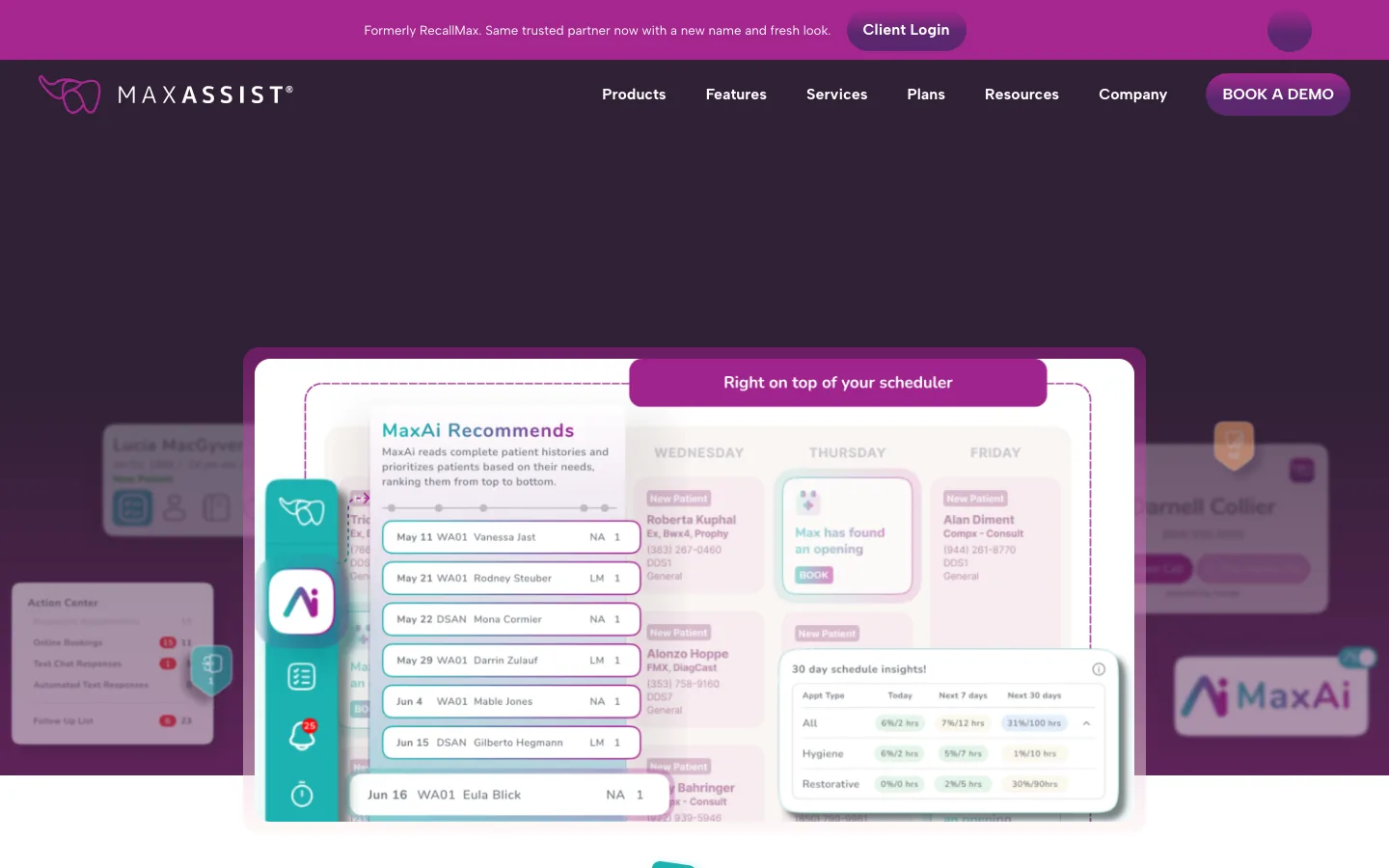
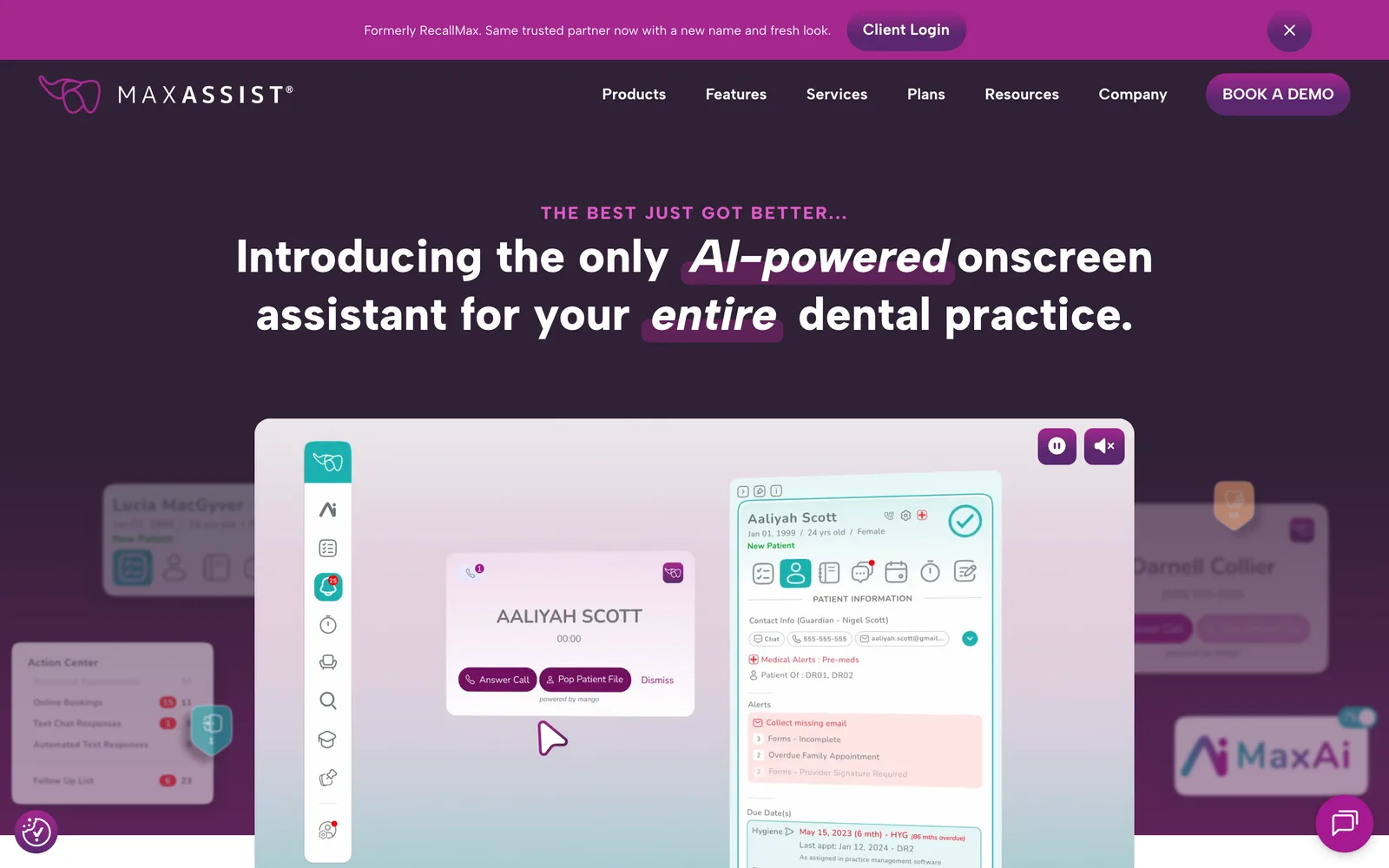
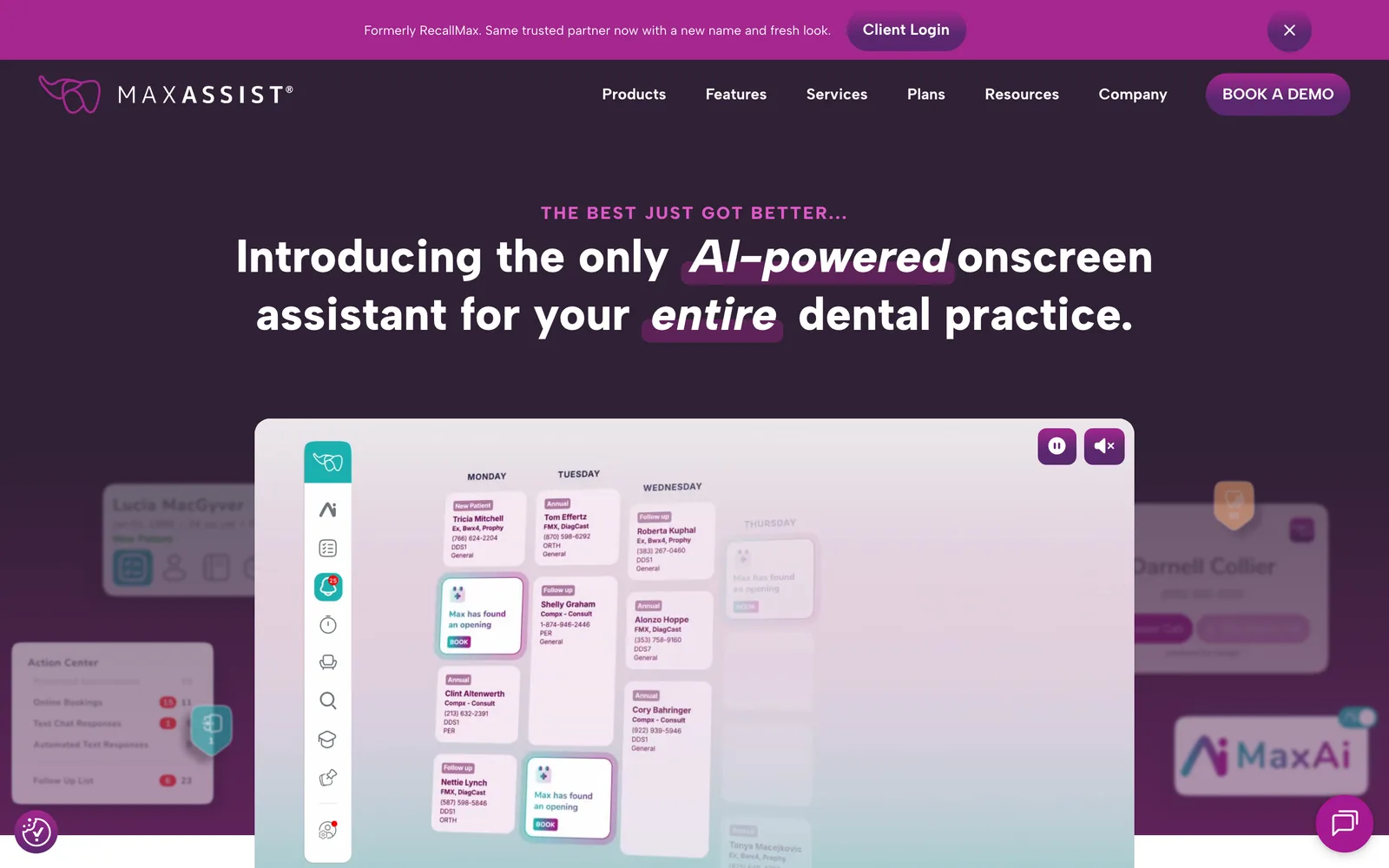
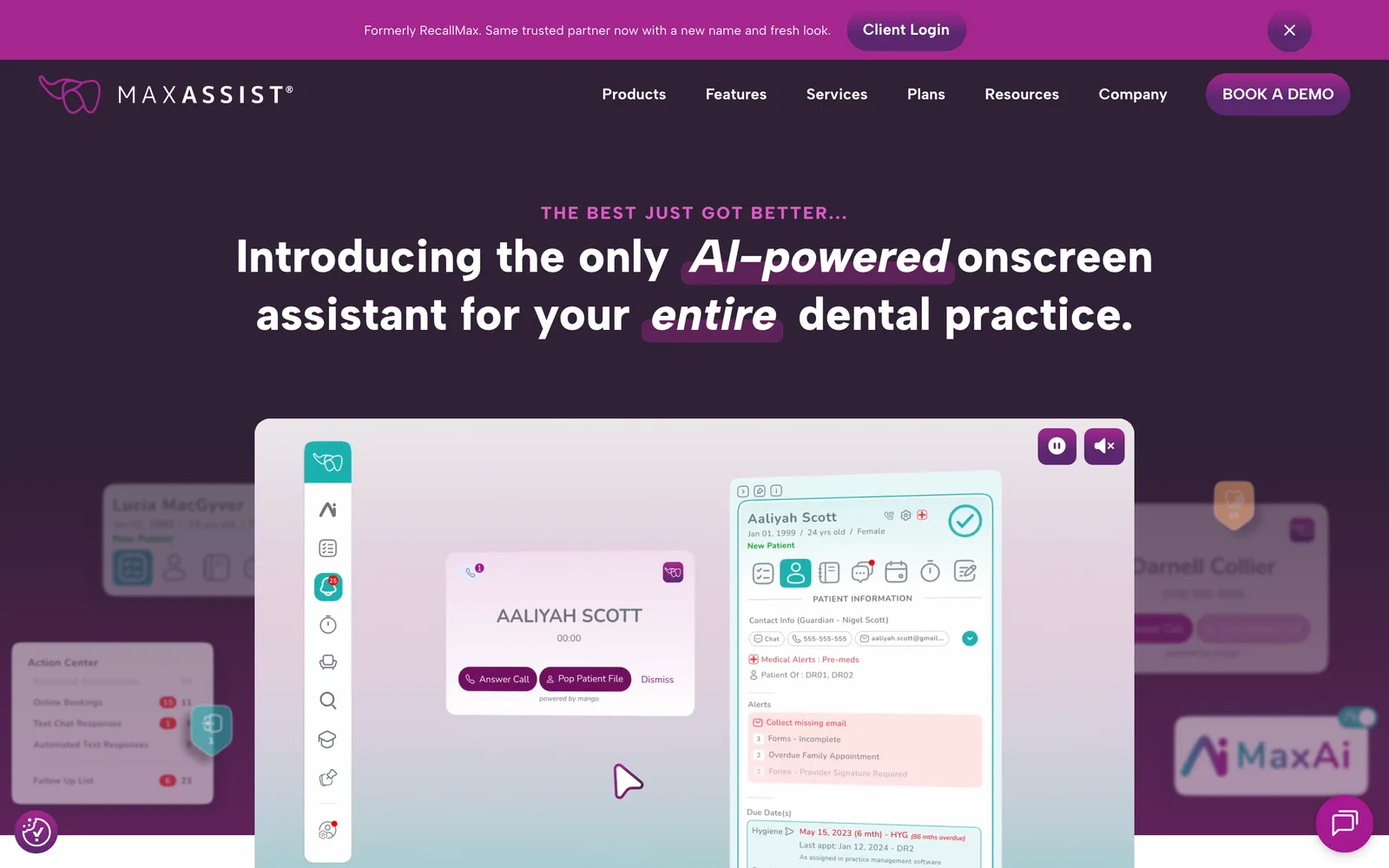
The MaxAssist homepage, post-rebrand.

The MaxAssist homepage, post-rebrand.

MaxAssist, Plain-language product story for dental teams. (desktop)

Plain-language product story for dental teams.

MaxAssist — view 1
MaxAssist — view 2
MaxAssist — view 3

Across the service, the process, the people.

At MaxAssist, we needed to transition from a templated website to a fully custom-developed platform that truly represented our brand and market position. Choosing to work with Nick was the best decision we made. From the very first meeting, Nick demonstrated a deep understanding of our vision and requirements, making the entire process smooth and stress-free. His responsiveness and exceptional communication throughout the project were invaluable, ensuring everything moved forward seamlessly. We're thrilled with the results and look forward to continuing our partnership as we evolve our website further.
Harley Saunders Director of Marketing, MaxAssist
04 / The Outcome

Where it landed.

MaxAssist launched with a marketing site that finally matches the depth of the product. Harley described the engagement as the best decision the team made coming into the rebrand. The transition from a templated website to a fully custom platform was, in her words, smooth and stress-free, with responsiveness and communication throughout the project that she called invaluable.

The brand reads modern without losing the clinical seriousness a dental buyer expects. The site converts the practitioner buyer in the first scroll and hands the technical reader the proof they need on the deeper pages. The publishing tool gives the marketing team direct control over new feature pages, campaign landings, and partnership announcements without a developer in the loop.

The HubSpot integration has become quietly important post-launch. Every form on the site (demo requests, content downloads, newsletter subscriptions, contact requests) flows into the same lead pipeline the sales team already runs, with campaign and source attribution intact, so the marketing team can see what is actually producing pipeline rather than guessing. That attribution is the kind of foundation that lets a marketing team make confident bets about where to invest the next campaign budget.

The partnership has continued past launch. The site is now the foundation the marketing team builds on as the product evolves, the system was designed so the brand stays coherent as new pages and new campaigns ship, and the search foundation keeps producing because the architecture maps to the queries dental teams actually run. New product capabilities (AI assistant features, integrations, new patient communication surfaces) ship through the same modular blocks, which means the rebrand has held its shape rather than fraying at the edges as the company has grown.


The Role
Digital Branding User Experience Design Site Structure & Strategy Responsive Website Design Custom WordPress Development Search Optimization

Ready for your own case study?

Drop your URL. Nick will audit your site personally and build a live preview you can click through before you pay a dollar.

or write directly

Free, weekly

Site teardowns for home-service owners.

One real home-service site, broken down each week. What's leaking, what's working, the one fix that would matter most. Sent Mondays. Built for operators, not designers.

Built for home-service operators. Unsubscribe in one click.

See your free rebuild

No pressure. No upfront payment.